How to install Devart MyDAC Lazarus component in 4 easy steps by Blagoje.
Author Dragan Blagojević (c) 2024.
Lazarus is a Delphi compatible cross-platform IDE for Rapid Application Development. It has variety of components ready for use and a graphical form designer to easily create complex graphical user interfaces. https://www.lazarus-ide.org/
Devart MyDac (MySQL Data Access Components) is a library of components that provides direct access to MySQL and MariaDB from Delphi and C++Builder, including Community Edition, as well as Lazarus (and Free Pascal) on Windows, Linux, macOS, iOS, and Android for both 32-bit and 64-bit platforms. https://www.devart.com/mydac/
In this tutorial it is explained how to install Devart MyDAC component in to Lazarus.
Before you start
Applies to Lazarus version 3.0.
It is necessary to first download the MyDAC component from Devart's website.
The component is delivered as a zip archive.
Dearchive the downloaded archive into a folder of your choice.
Open Lazarus.
Step 1.
Select Package > Open Package File (.lpk).
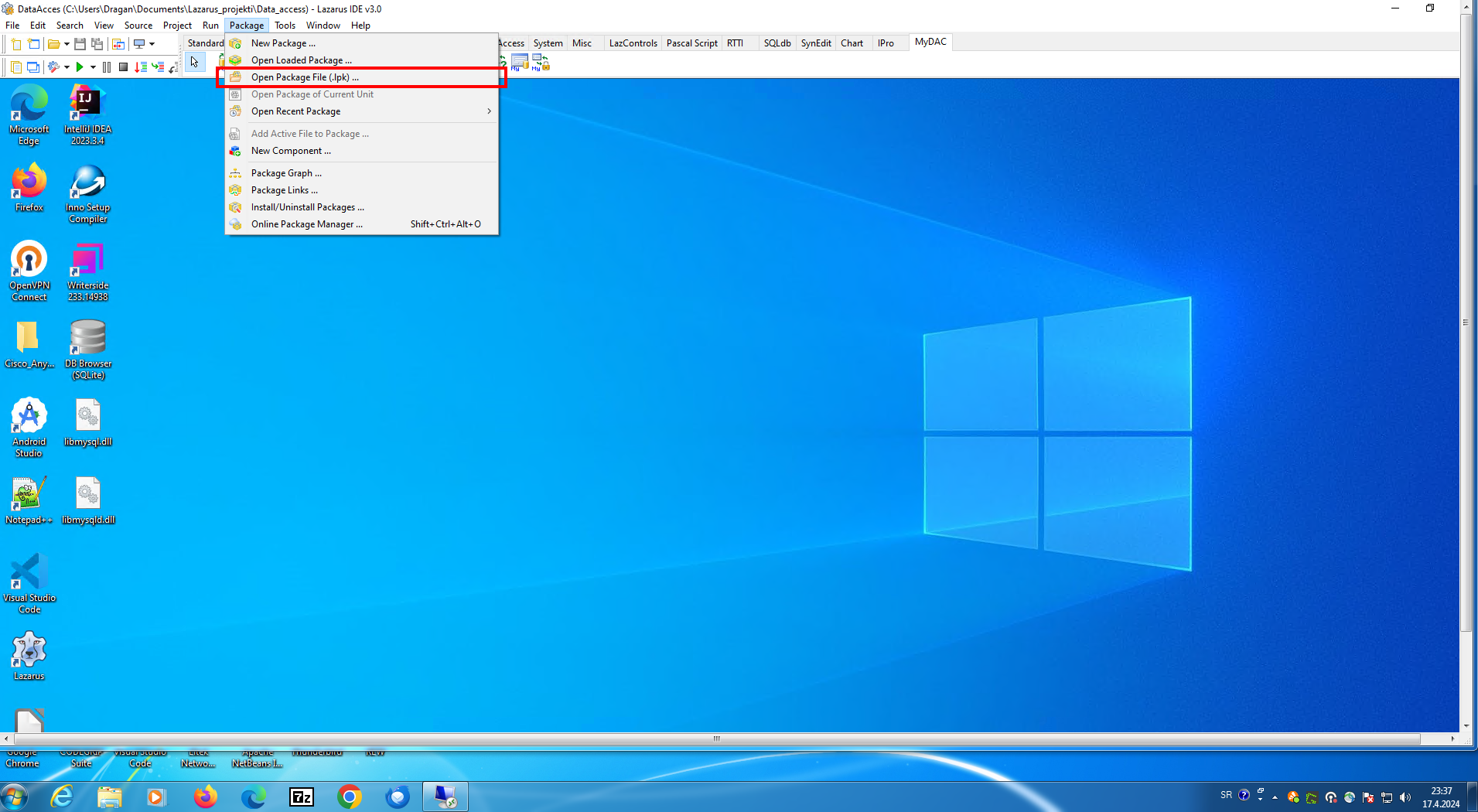
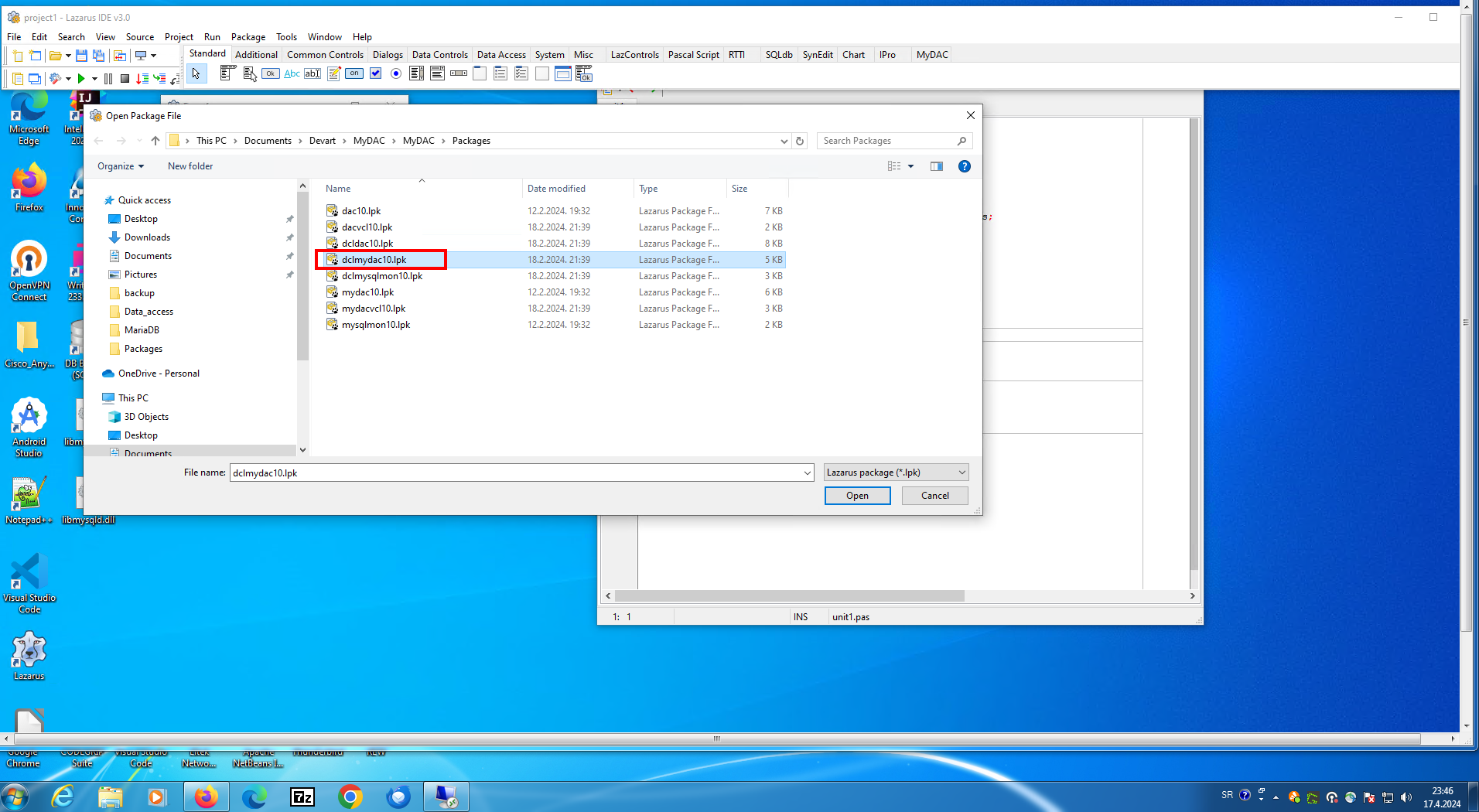
Step 2.
Select dclmydac10.lpk file.
Step 3.
Select Use > Install.
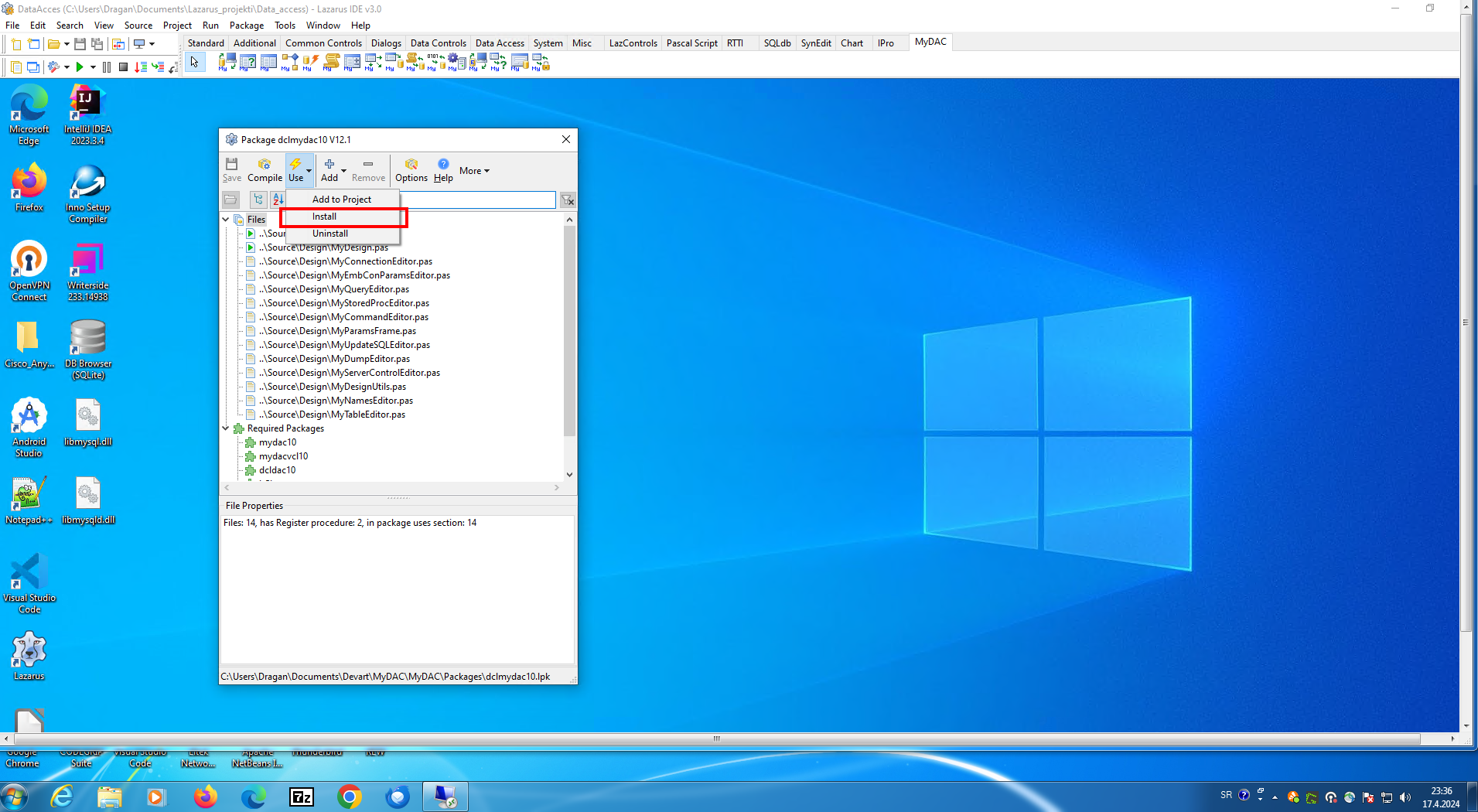
Step 4.
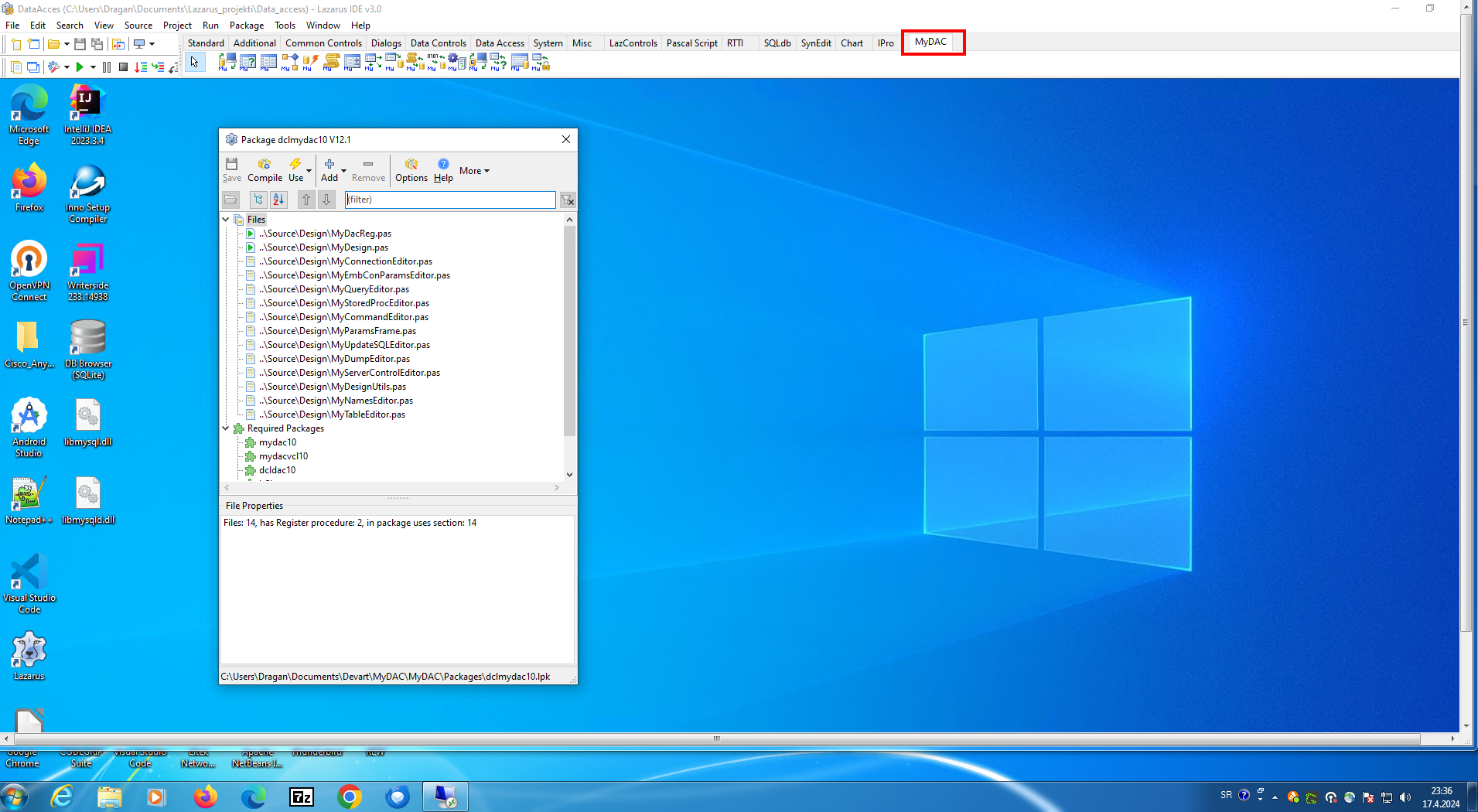
To install a new component, Lazarus will recompile itself. This operation takes a few minutes. If everything goes well, a new MyDAC tab will appear with the new components.